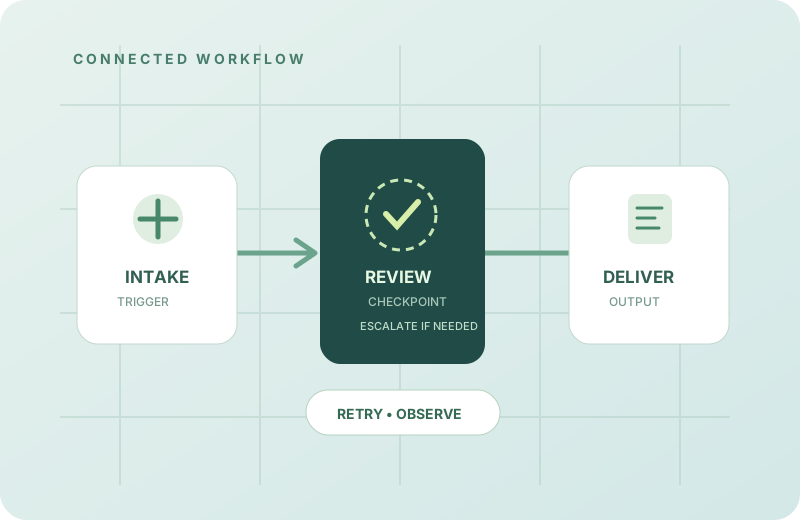
An automation demonstration usually shows the ideal route: an event arrives, a few systems exchange information and the desired output appears. In normal operation, however, data arrives late, services change and people make exceptions.
If a workflow cannot explain its failure modes, it may save time on good days while creating uncertainty on bad ones. Designing for resilience starts before connecting the first tools.
Map the journey before automating it
Write down where a task begins, which information it requires and what the final user or system expects. Include the awkward parts: the manager who approves an exception, the document that arrives in the wrong format and the third-party API that occasionally returns an error.
This often reveals that the fastest improvement is not automation. It might be eliminating a redundant handoff, standardizing an input or clarifying who owns a decision.
Treat each step as a state transition
A multi-step workflow changes state. It helps to know which steps finished, which failed and whether trying again is safe. A process that creates a record and then sends a notification should not create a second record just because the notification step timed out.
That leads to practical design considerations:
- Idempotency: Can the same request be repeated without creating duplicate effects?
- Timeouts: How long should a step wait before the system decides it needs attention?
- Retries: Which failures are temporary, and how many attempts are reasonable?
- Checkpoints: Can an interrupted task resume from a known safe point?
Make failures visible without drowning people in logs
Observability is more useful when it answers operational questions than when it merely stores large amounts of detail. What ran? Which input version did it use? What did the step return? What is safe to do next?
Good event records can support debugging and review. They should still respect appropriate privacy and data minimization boundaries. Not every raw document, user input or secret belongs in a log.
A recoverable workflow should be able to say where it stopped and what continuing would mean.
Keep human decisions visible
Some automated actions are reversible; others are expensive or consequential. A thoughtful workflow can separate preparation from approval. It may draft a response, assemble a change or propose a transaction without executing the final action until a responsible person confirms it.
Human review should be placed where it reduces meaningful risk. Requiring approval for every harmless step becomes bureaucracy; hiding the important approval behind an automation chain becomes fragility.
Design for the day an integration changes
Connected software rarely stays still. APIs introduce new fields, authentication expires and an upstream platform changes its behavior. Clear contracts between steps and focused integration checks make these events less surprising.
When building workflows, we favor smaller units that can be inspected independently. If a step fails, the operator should not have to reverse-engineer an entire automation just to understand the consequences.
The best measure of automation is not how many steps it removes from a happy path, but how much clarity and dependable behavior it adds to the complete process.
Further reading: explore our workflow automation perspective and the principles behind dependable integrations.
← Back to all insights